Moze becomes an international brand



- 3 months Implementation time
- +26% ⌀ Shopping cart value
- 80% More visibility
Belangrijke feiten:
Shopware versie
Bedrijf
Functionaliteiten
Technische functionaliteiten
Voordelen van Shopware:


The Moze success story: from Lower Saxony start-up to international shisha brand
Moze was founded in 2019 by Moritz Otten in Meppen, Lower Saxony. At the time, the company was headquartered in Moritz's grandparents' hall. By 2022, Moze has grown from a one-person operation to ten employees. At the same time, the company delivers around 5,500 self-designed hookahs to its customers every month. Moze has established itself as one of the market leaders in the hookah industry. After only four years, the company expanded its product range to over 3,000 items in more than 300 categories. Moze also makes a name for itself internationally, especially in countries such as Austria, Spain, and France.
The challenge
In 2019, Moze is developing its online store in collaboration with scope01. This is based on Shopware 5, the latest version of the store system at the time. Shopware 5 offers the company all the functions it needs for its business requirements.
Moze quickly became one of the market leaders in the shisha industry and gained many regular customers. While these customers continue to visit the store regularly, Moze finds it increasingly difficult to attract new customers. In addition, visitors are spending less time in the online store. To ensure sustainable growth, Moze is focusing on two key initiatives:
Expansion of target groups and support along the customer journey
Website optimization for outstanding customer experience, building trust, and strengthening customer loyalty.
Although Shopware 5 already had many powerful features, it was time for Moze to consider upgrading. Shopware 6 seemed to be the best solution.
Moritz Otten from Moze comments, "When we set up a test system with Shopware 6 and the corresponding interfaces to our other software solutions, it became clear that Shopware 6 could close the gap we had with our previous setup with Shopware 5".

Moze Shisha 2.0: Modern design and new features
With the migration to Shopware 6, not only the administration was improved. Moze Shisha also received a complete visual makeover. In addition to an appealing and simple design, the product and category pages have been expanded and optimized. When customers click on a product, they not only receive product information but also learn more about the item's availability and delivery time. They can also order the matching accessories for the product with just one click. Customer ratings and Google reviews are also displayed on the product page to encourage customers to buy. In addition, Klarna and credit card payments are now available as additional payment options.

From product sales to expert advice: Moze's plans for shisha lovers
Following the successful launch of the new Moze Shisha Shop, the company is looking to improve its online presence further and become a one-stop shop for shisha lovers. The goal is not only to make the store as customer-friendly as possible. The team is already working on expanding the advice section, optimizing the site's content, and adding more functionality.
As a long-time Shopware customer, Moritz from Moze appreciates the shop system: "Since we have been using Shopware from the very beginning, we can now say that we have become one of the market leaders for shishas and accessories in Germany with this shop system at our side.
Functionaliteiten gebruikt in dit geval
Ontdek de kracht van innovatieve Shopware-functionaliteiten - de kern van onze unieke oplossing. Ervaar welke van deze functionaliteiten onze klant met succes heeft gebruikt in hun eigen geval. Duik dieper in de details en gebruik deze inspiratie voor uw eigen project.
Custom Products
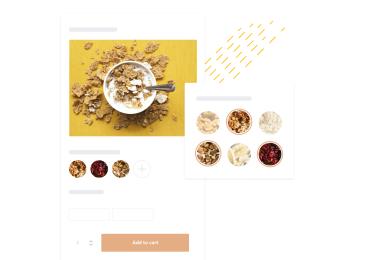
Let customers customize products with text, lettering, or color. Configure selection inputs—from simple fields to guided step-by-step flows—to fit each product.
Shopping Experiences
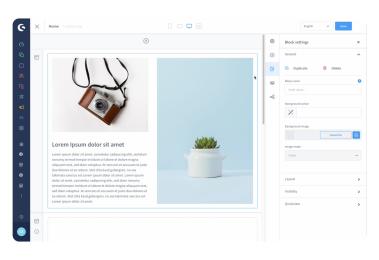
Collaborate with your team on Shopping Experiences. Create draft layouts of your store(s) and track changes with versioning and an activity feed.
Ontdek meer over Shopping Experiences